1. On your computer Start here
Download the desktop app. Everything is kept in a file on your Mac or PC — no accounts, no server, nothing to configure.
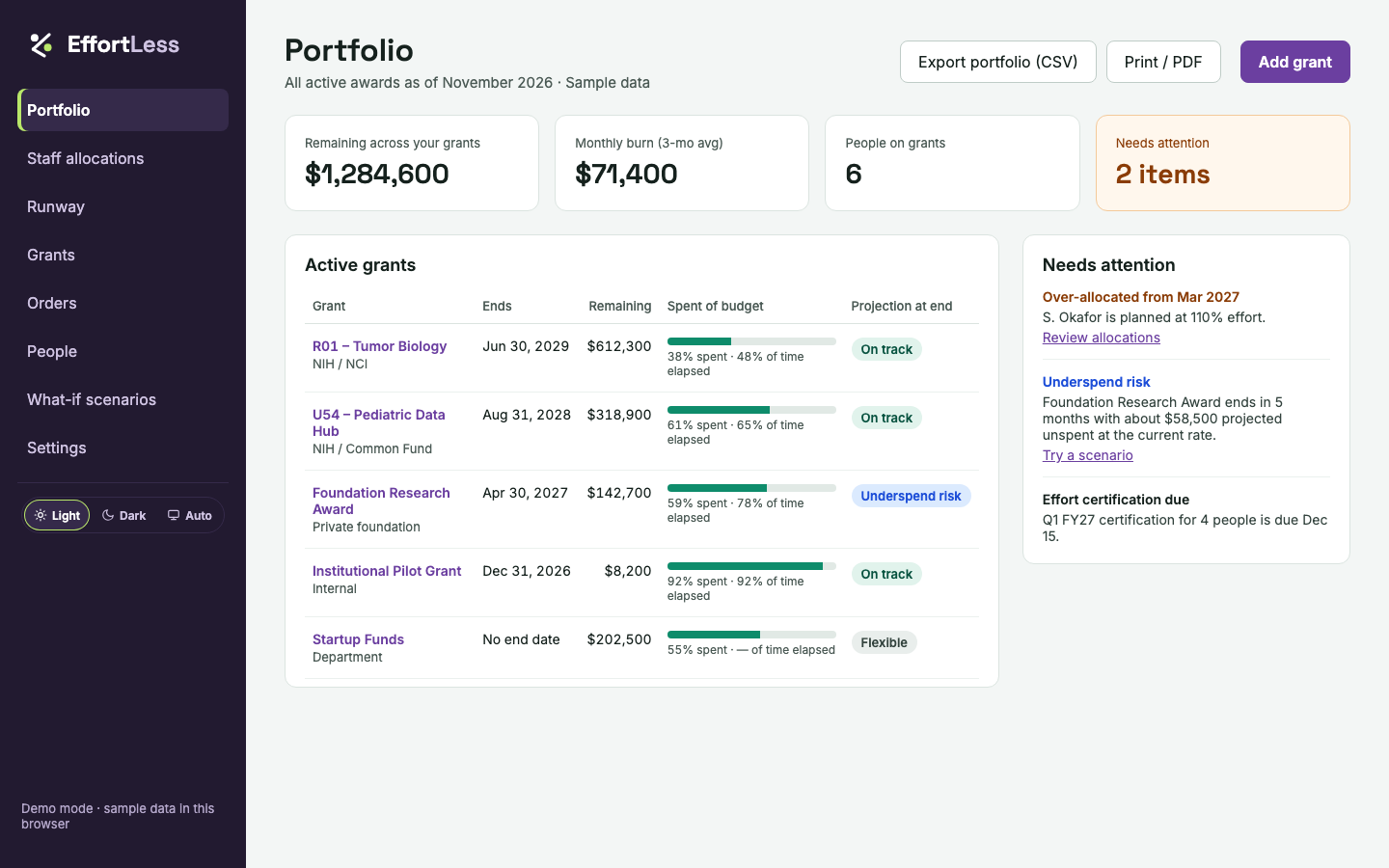
EffortLess tracks who is paid from which grant, pay period by pay period — and shows when each fund and each person’s funding runs out.
Free. Your data stays on your computer. Set up a shared server for your lab →
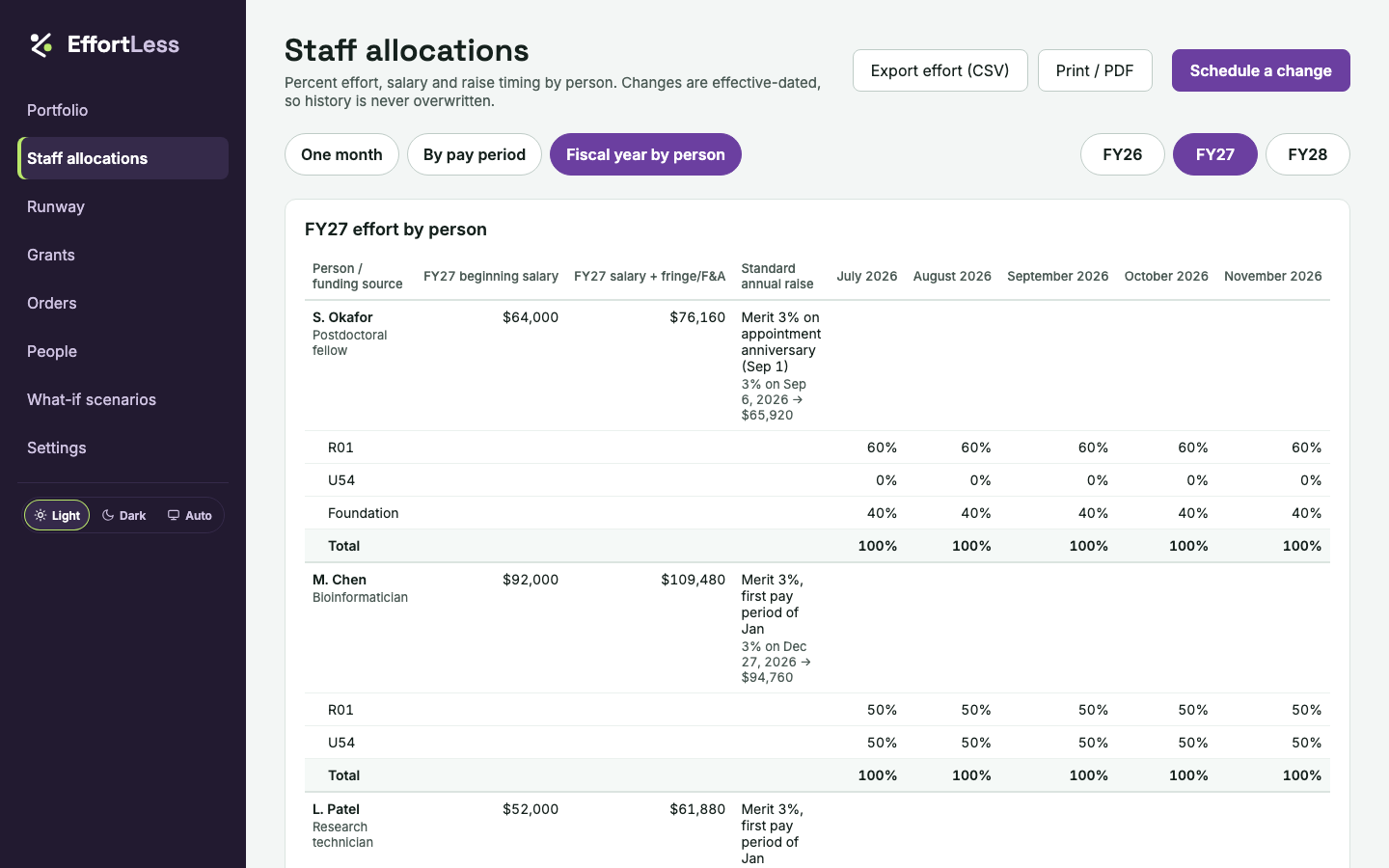
Effective-dated allocations charged the way payroll does: a whole pay period follows its end date. Monthly and fiscal-year views, with a remainder (BAL) fund.
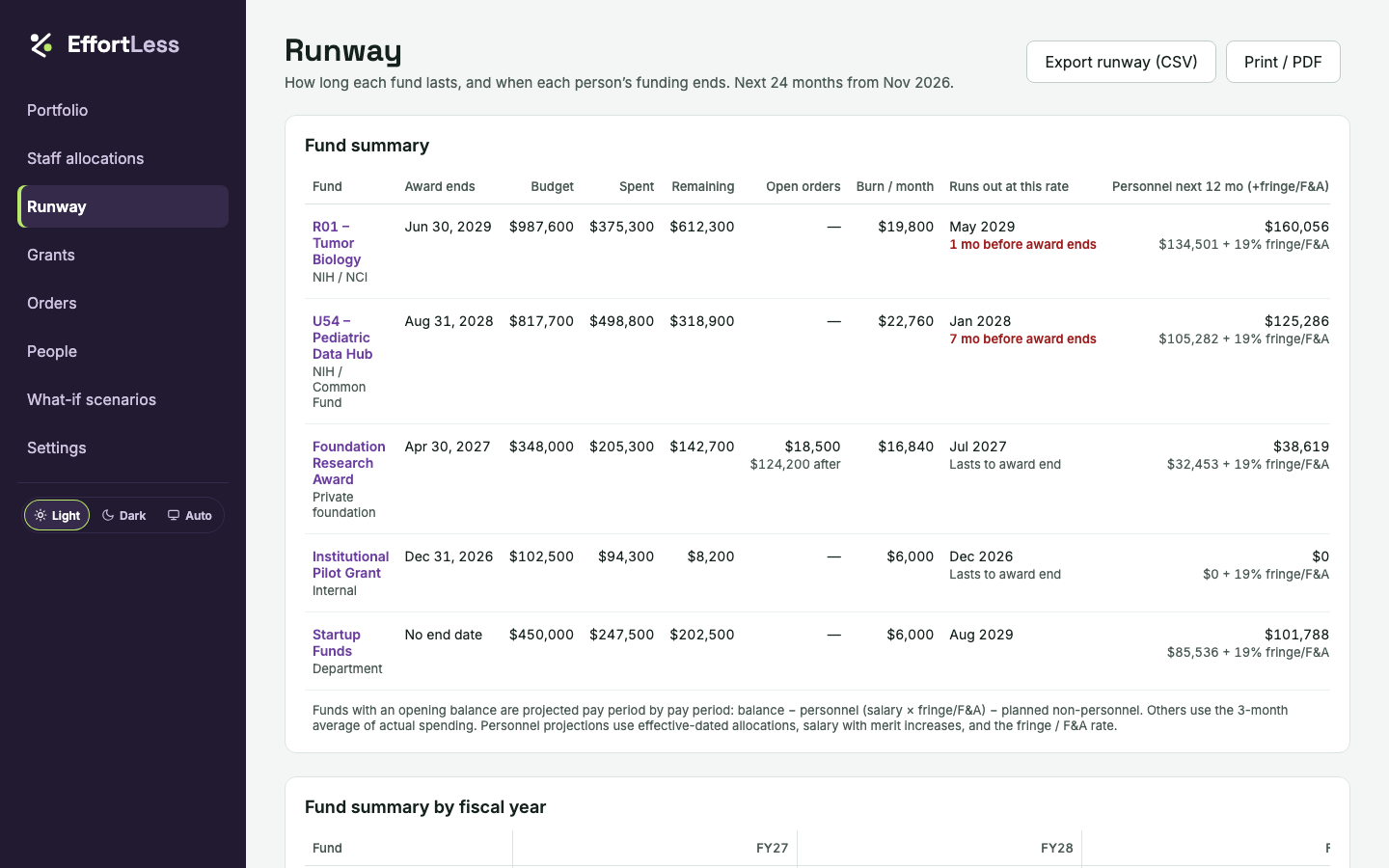
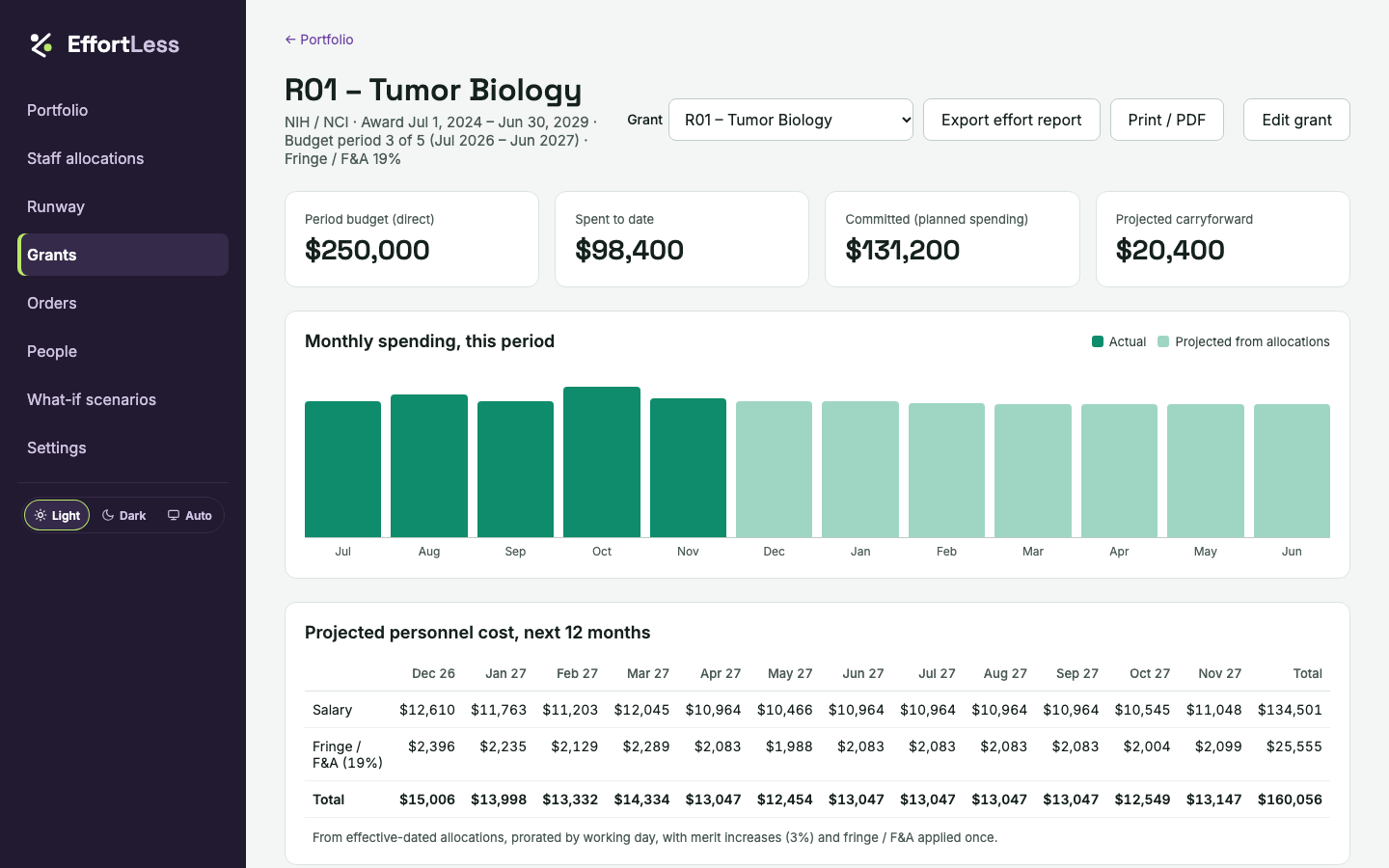
Opening balance minus projected salary, fringe and planned costs, pay period by pay period — and the month each fund runs out.
When each person’s funding drops below 100%, and which source ends first, so you can plan renewals and bridges early.
Merit in the first pay period of the year or on appointment anniversaries, promotions as salary steps, one fringe / F&A rate.
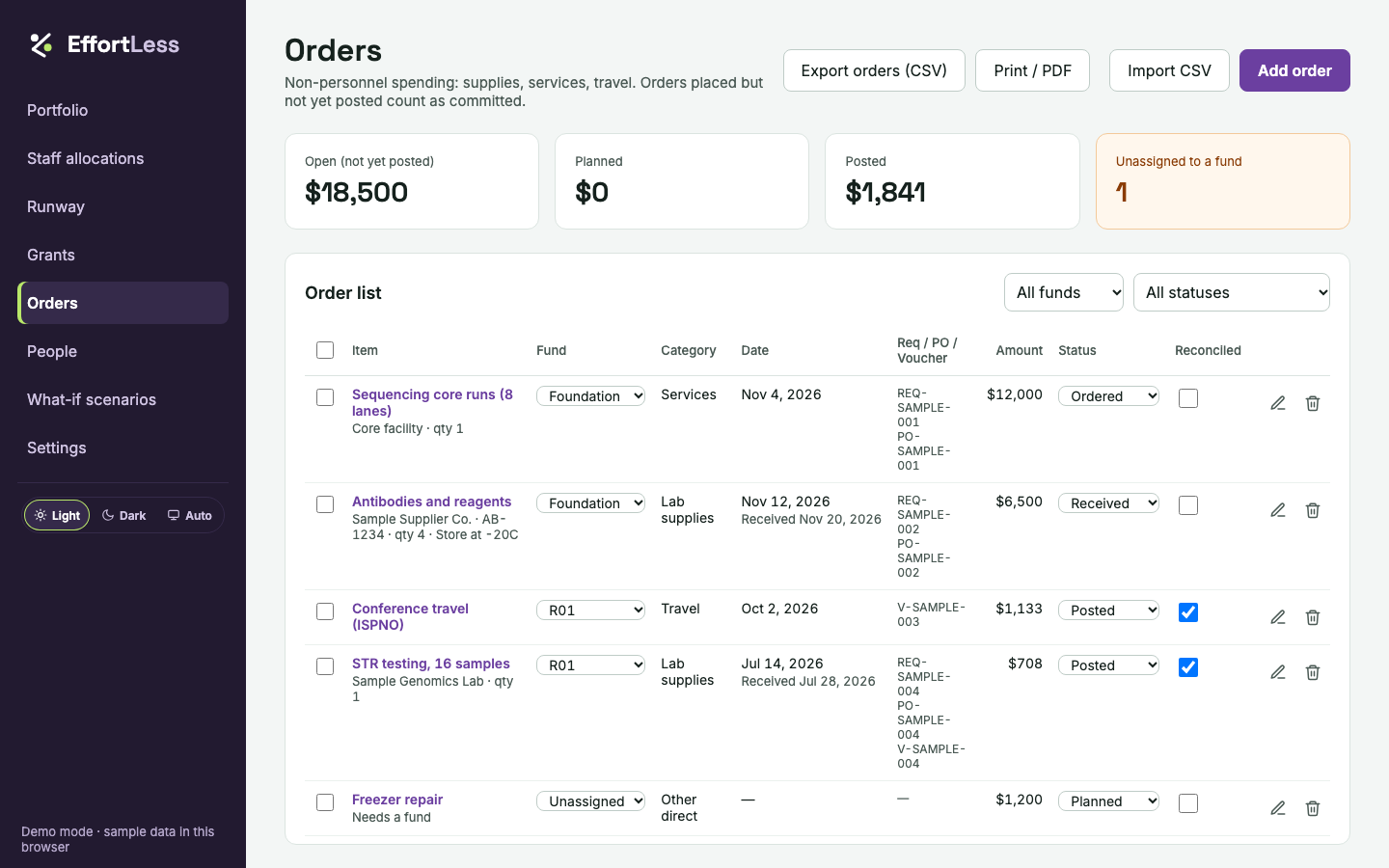
Your lab manager logs supplies and services; import from Google Sheets or CSV with column matching and undo.
Monthly effort certification, fiscal-year effort by person, portfolio and runway — as CSV or PDF.
All screenshots use fictional sample data.
Download the desktop app. Everything is kept in a file on your Mac or PC — no accounts, no server, nothing to configure.
Run EffortLess on your institution’s server so the PI, lab manager and staff each sign in with the right access. You (or your IT team) set it up once; everyone else just gets a link.
Salary and effort stay on your computer, or on a server your lab or institution runs. We never receive your data, and this website holds none. Check with your institution before putting salary data on a shared server — the setup guide is written to hand to IT.